
CiteDrive November 2021 Release
Timed perfectly to coincide with fall leaves, cooler weather and pumpkin spice lattes, we’re pleased to announce the November 2021 release of CiteDrive!
Timed perfectly to coincide with fall leaves, cooler weather, and pumpkin spice lattes, we’re pleased to announce the November 2021 release of CiteDrive! It was a whirlwind of activity following our announcement of integration with Overleaf earlier last month and we were thrilled to get such enthusiastic feedback from users like you. We believe strongly that a good product innovates while a great product finds a way to listen while innovating.
Human readable citation keys
Section titled “Human readable citation keys”Based on popular demand, we have updated our default citation keys for BibTeX output to be human-readable. Instead of our original UUID-based keys, you’ll now see that keys take on the format of \AuthorYearTitleword:abcd. For example, \Jones2015Algorithms:f81c
By default, CiteDrive will ensure that every reference within a project receives a unique citation key based on this format. Additionally, you have the option to override citation keys as you see fit (in case you prefer to use your own system of organization.)
CiteDrive Companion context menu
Section titled “CiteDrive Companion context menu”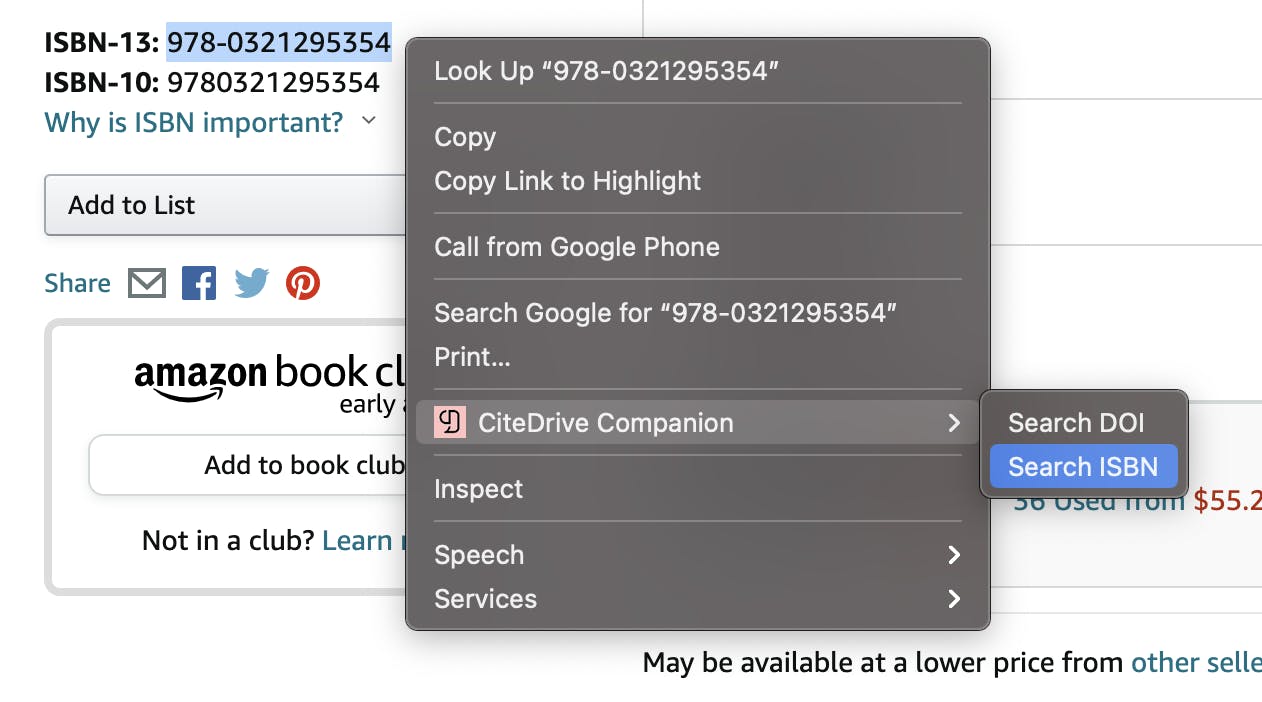
The CiteDrive Companion browser extension was already a quick and easy way to add papers and web references to your project. Now it also streamlines adding book and DOI-based references to your project through a new right-click context menu! Simply select an ISBN or DOI within page text, right-click to open the context menu, and select one of the options under CiteDrive Companion.
Directly import BibTeX references
Section titled “Directly import BibTeX references”Have existing BibTeX references or a bibliography you’d like to manage through CiteDrive? We’ve now made it incredibly easy to import BibTeX directly into your project. Simply select “Paste BibTeX code” from the options under the Add menu:
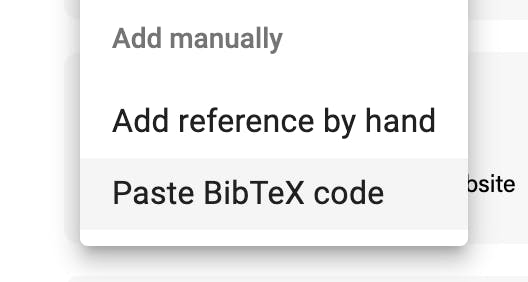
BibTeX references pasted into the code field will then be imported and added to your project.
Extended BibTeX types and fields
Section titled “Extended BibTeX types and fields”Based on user feedback, we heard loud and clear that our hosted BibTeX files weren’t included as much rich detail as desired. We are now including all provided types and fields in our hosted output — whether or not CiteDrive itself supports the custom field.
As a perfect example, let’s say you’ve imported the following custom BibTeX code into your project: As a perfect example, let’s say you’ve imported the following custom BibTeX code into your project:
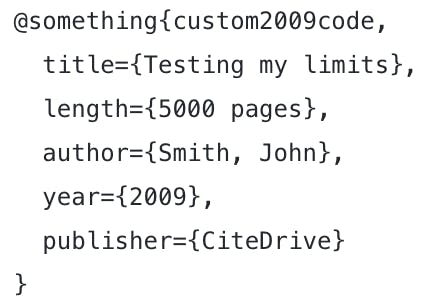
Although @something is an unsupported type within CiteDrive, your project’s hosted BibTeX file will now pass through the original code nearly verbatim — including all fields.
Other improvements and bug fixes:
Section titled “Other improvements and bug fixes:”- Addressed an issue where CiteDrive Companion was unable to extract information from certain pages that should have worked.
- Front-end performance improvements.
- Citing websites & online media.
Special Thanks
Section titled “Special Thanks”- Junbum Lee — GitHub
- Vincent Toor
- Sebastián Daza
- Alexander
- Derek
- Thomas
- Guys at Overleaf — Overleaf.com